Theatre and events
Build boards for scenes, entrances, transitions, intermission, and curtain call. Use subnames and badges to hold a short cue note beside the title.
 SoundCues
For live production
SoundCues helps operators prepare and trigger effects, clips, announcements, and music beds across a complete production. Organize the Show for the sequence people actually run.
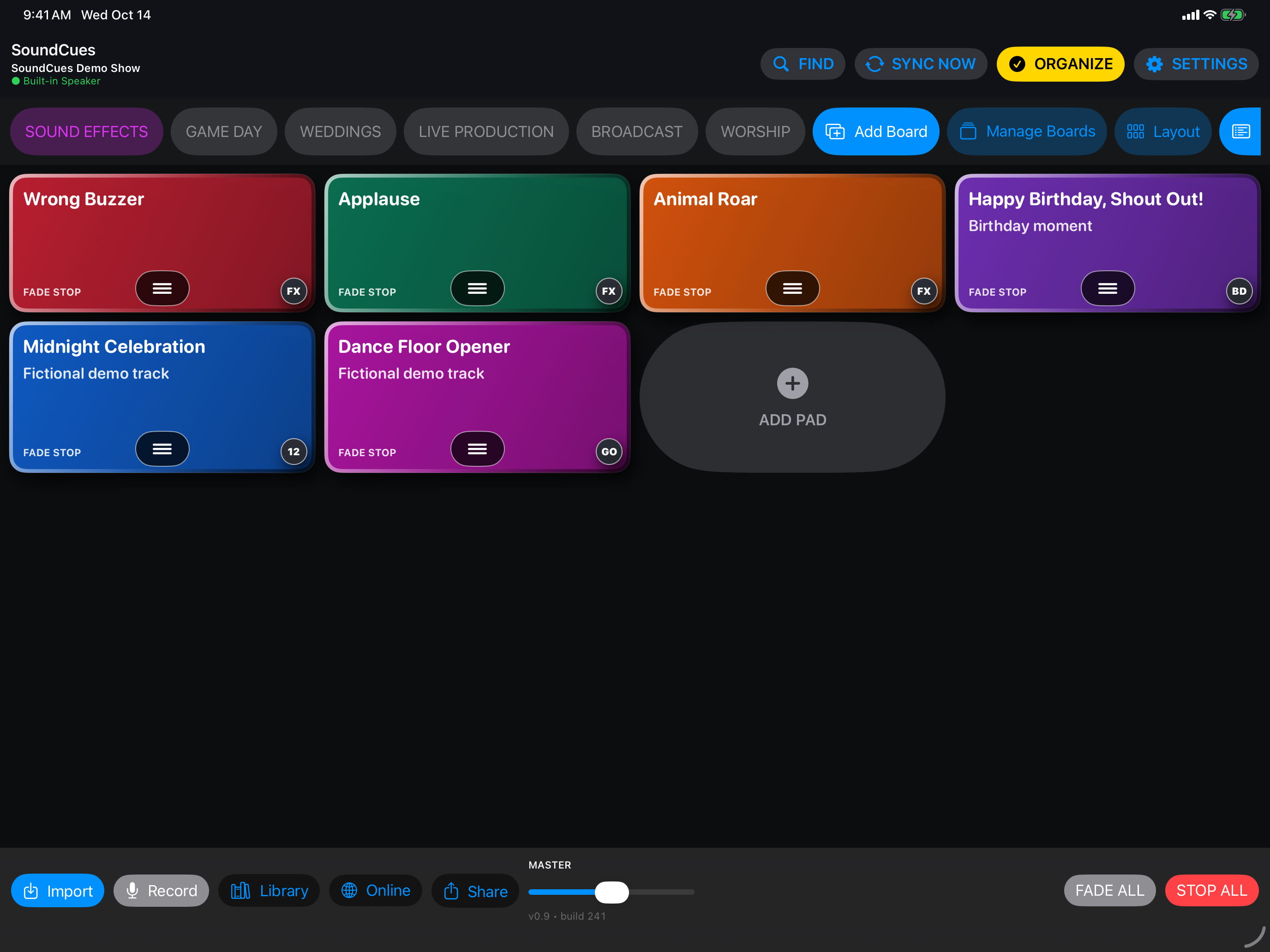
Flexible production workflows
Build boards for scenes, entrances, transitions, intermission, and curtain call. Use subnames and badges to hold a short cue note beside the title.
Keep stingers, bumpers, beds, announcements, and timed effects grouped for the operator and the segment.
Prepare service cues and media transitions while keeping the same clear Show and board organization.
Use waveform trim points, gain, fades, loops, pitch, filters, and other effects to prepare each pad. Style cues with color, finish, subtitle, and badge. Export a complete Show safety copy before a critical event.
SoundCues supports optional private iCloud Sync for compatible managed audio and Show information. Confirm every required file is present and plays on the device used at the venue.
Explore audio editing ↗A Show can be transferred manually when you have permission to share its contents. Optional private iCloud Sync requires Pro and exchanges supported Show information and managed audio between your devices signed into the same Apple Account. It is not a shared team account. Test device readiness before using a Show live.
Yes. Sync starts off on a new installation; local Show use does not require a separate SoundCues account.
See the SoundCues app, features, and pricing.
SoundCues home ↗