01 / ORGANIZE
See the whole show.
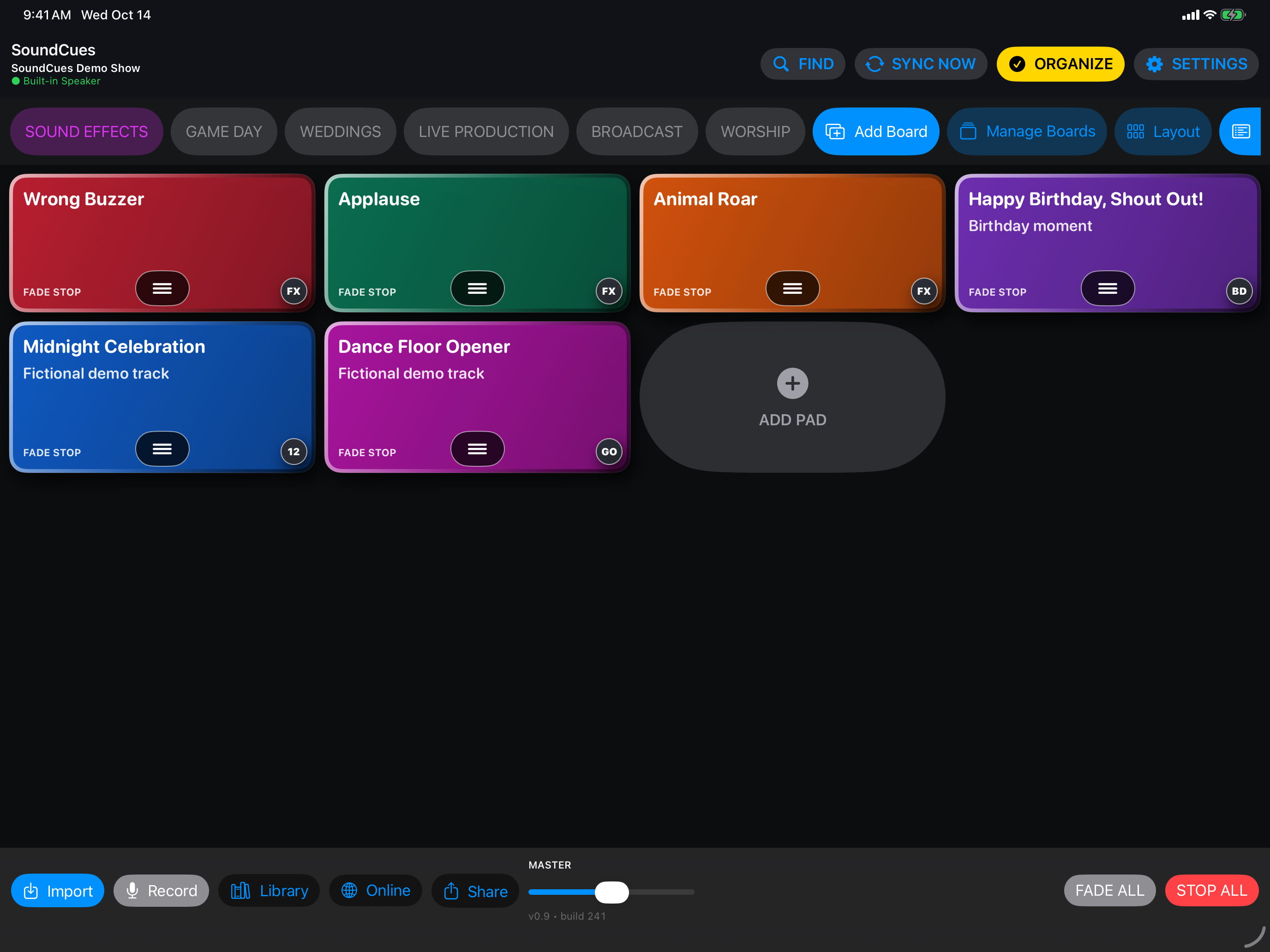
Arrange cues by Show and board so the right sound is easy to find during the event.
 SoundCues
Live audio pads & soundboard
SoundCues puts your effects, clips, and music cues exactly where you need them. Prepare the details, then play with confidence from iPhone, iPad, or Mac.
Built for live moments by working DJs.
One app for iPhone, iPad, and Mac · Free and Pro options
See the app in action
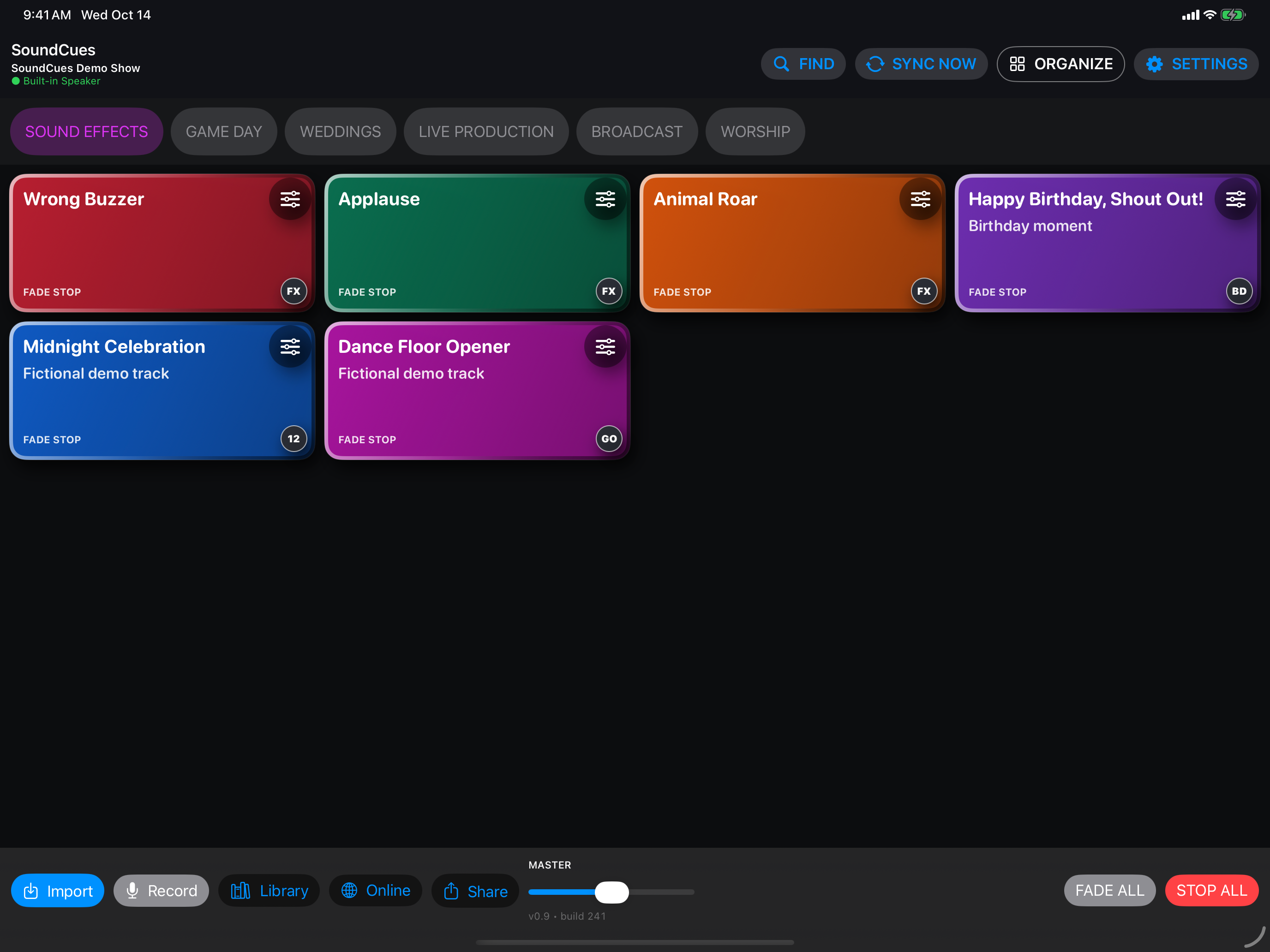
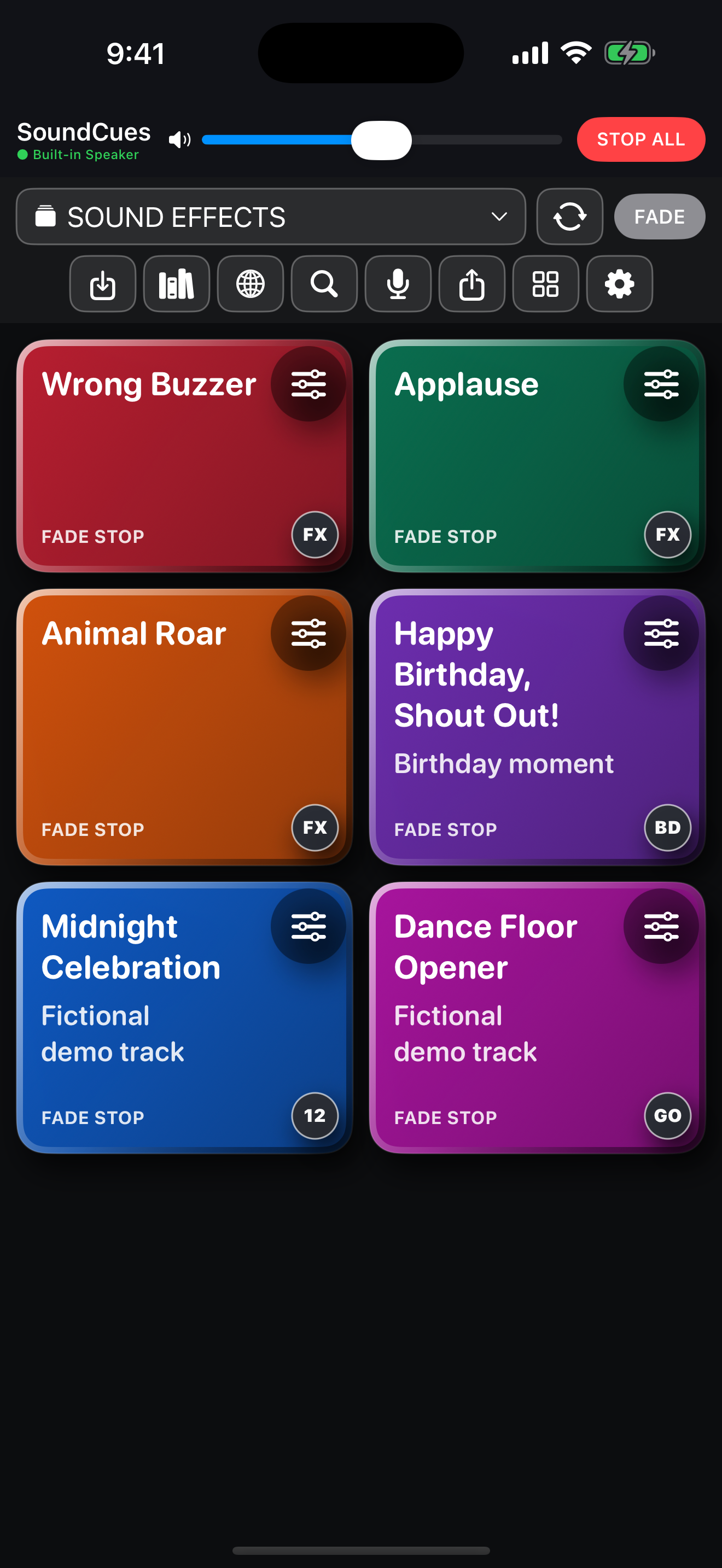
Start with a real cue being triggered and its playback waveform. Then see how SoundCues handles wedding and DJ sets, sports cues, precision editing, and organized boards.
Short visual demo using real app screens. The scene guide describes each step for visitors who cannot play the video.
Inside the app
Real screens from SoundCues. Build your boards, shape each clip, and keep a full production within reach.
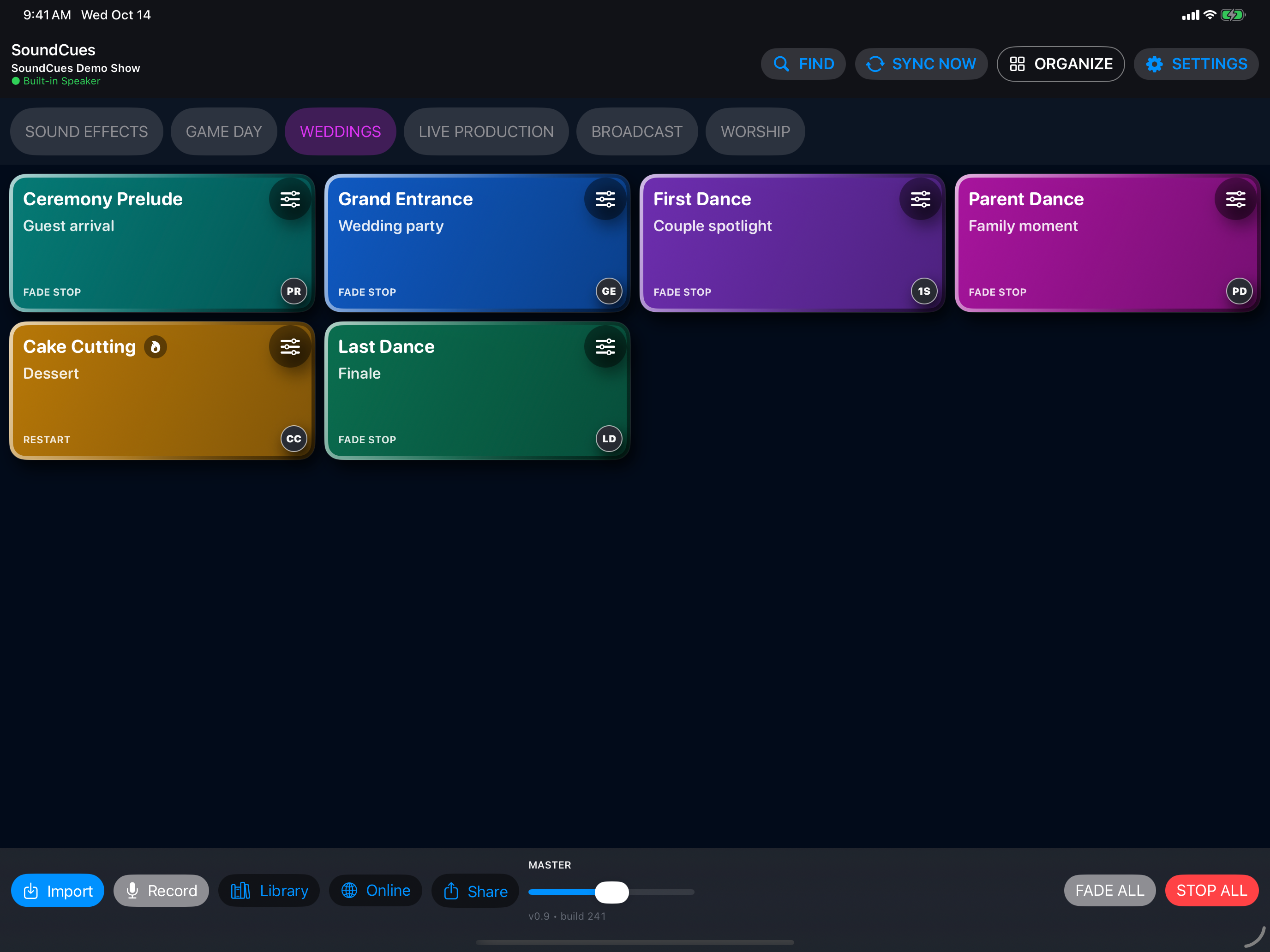
Arrange cues by Show and board so the right sound is easy to find during the event.
Keep wedding entrances, dances, and announcements in a board you can read at a glance.
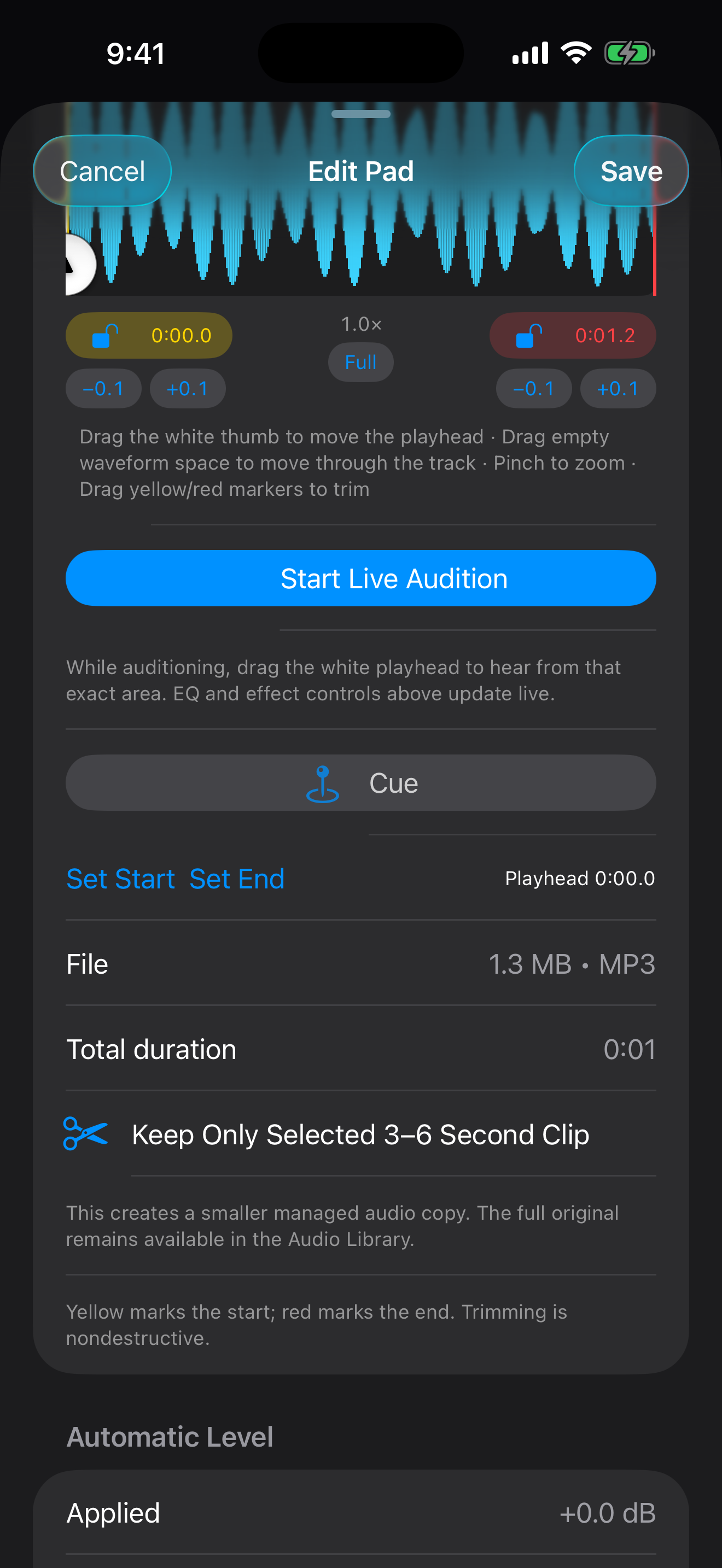
Use a waveform to audition and trim audio, then refine playback with fades, loops, EQ, and effects.
Audio editing and effects
Go beyond EQ. Audition the result as you work, keep the original audio, and save playback choices with each pad.
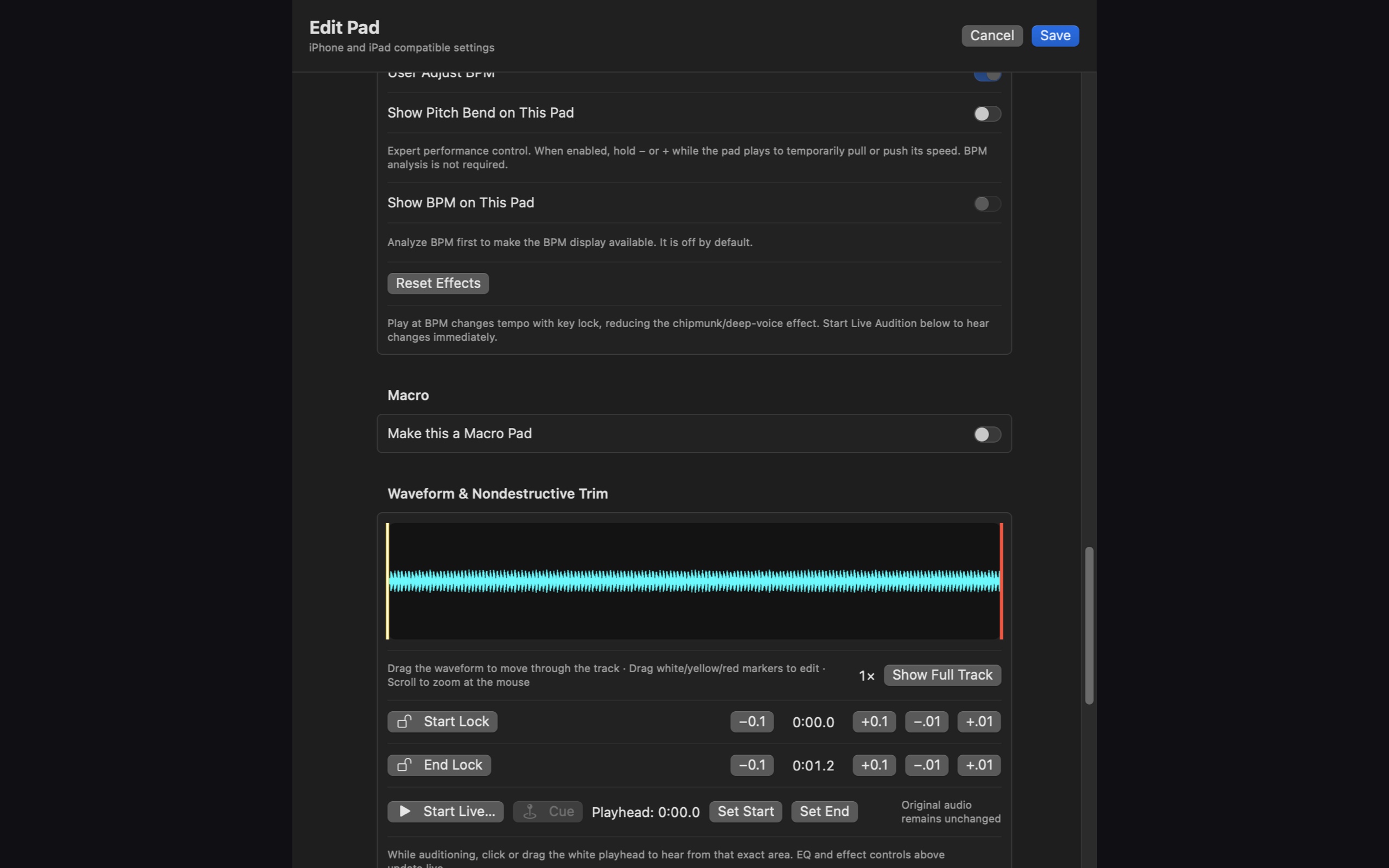
Adjust pitch, analyze or correct BPM, and set a target tempo with key lock. Optional momentary pitch-bend controls let you nudge playback live and return to the saved tempo when released.
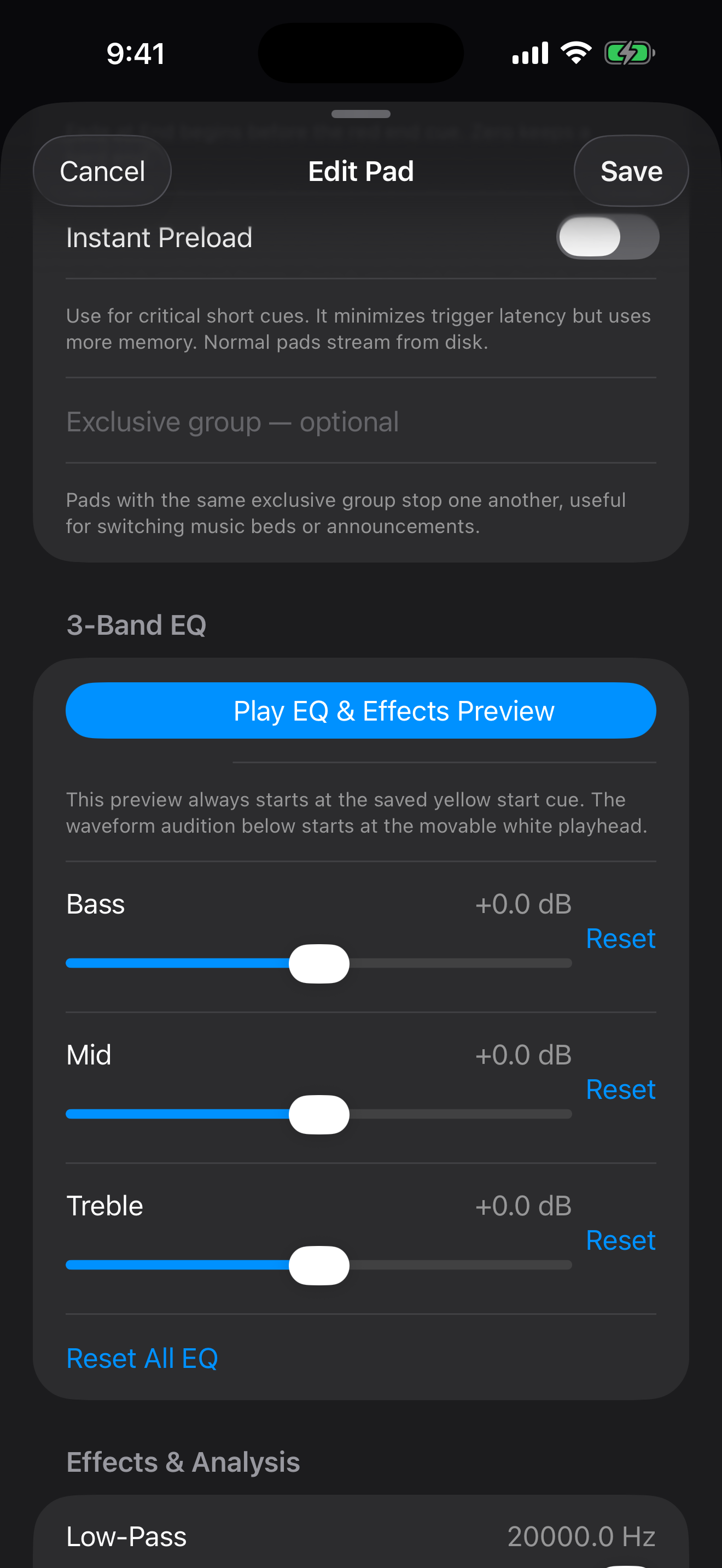
Shape bass, mid, and treble. Add low-pass or high-pass filters, echo, flange, reverb, and vocal reduction, then listen before the cue goes live.
See the waveform, audition from a movable playhead, set non-destructive start and end points, and build fades and loops around the performance.
Explore every audio editing tool ↗
Where SoundCues fits
Start with a real workflow, then make the boards your own.
Made for the work behind the moment
SoundCues packs more than 140 documented production features into a live soundboard built for real events.
Keep entrances, dances, traditions, announcements, closings, and full DJ sets clear and ready.
Put introductions, scoring cues, defense prompts, timeouts, victory music, and instant effects one tap away.
Trim, cue, fade, loop, filter, pitch, analyze BPM, adjust tempo, and work with a visible waveform.
Combine colors, titles, subnames, two-character badges, badge colors, and six visual finishes.
Create Shows and boards, leave intentional spaces, reorder tabs, search, and update multiple cues together.
Use the native Mac organizer, perform from iPhone or iPad, transfer complete Shows, and enable optional private iCloud Sync.
Browse features and find each control ↗
Start free · Grow into Pro
Start with one Show, two boards, and twenty pads total. Upgrade inside SoundCues for unlimited content, private iCloud Sync between your devices using the same Apple Account, the full Mac workflow, and advanced organization.
Planned U.S. launch pricing
$7.99/ month
$54.99/ year
$99.99one-time payment
Initial availability is planned for the United States. Apple shows the final price and purchase terms before confirmation. The one-time option has no automatic renewal.
Monthly and annual plans automatically renew until canceled. Payment is charged to your Apple Account at confirmation. Manage or cancel subscriptions in Apple Account settings; deleting the app does not cancel a subscription.
The one-time purchase includes current Pro features and future improvements included with SoundCues Pro. Optional future products, content packs, or third-party services may be sold separately. No advertising or separate SoundCues account. A free trial and Family Sharing are not currently offered.
Your next moment starts here
Questions about the app or your existing Shows? We’re here to help.